
Edited by
M. Ibrahim

Reviewd by
Abdul Qadir

Edited by
M. Ibrahim
Reviewd by
Abdul Qadir
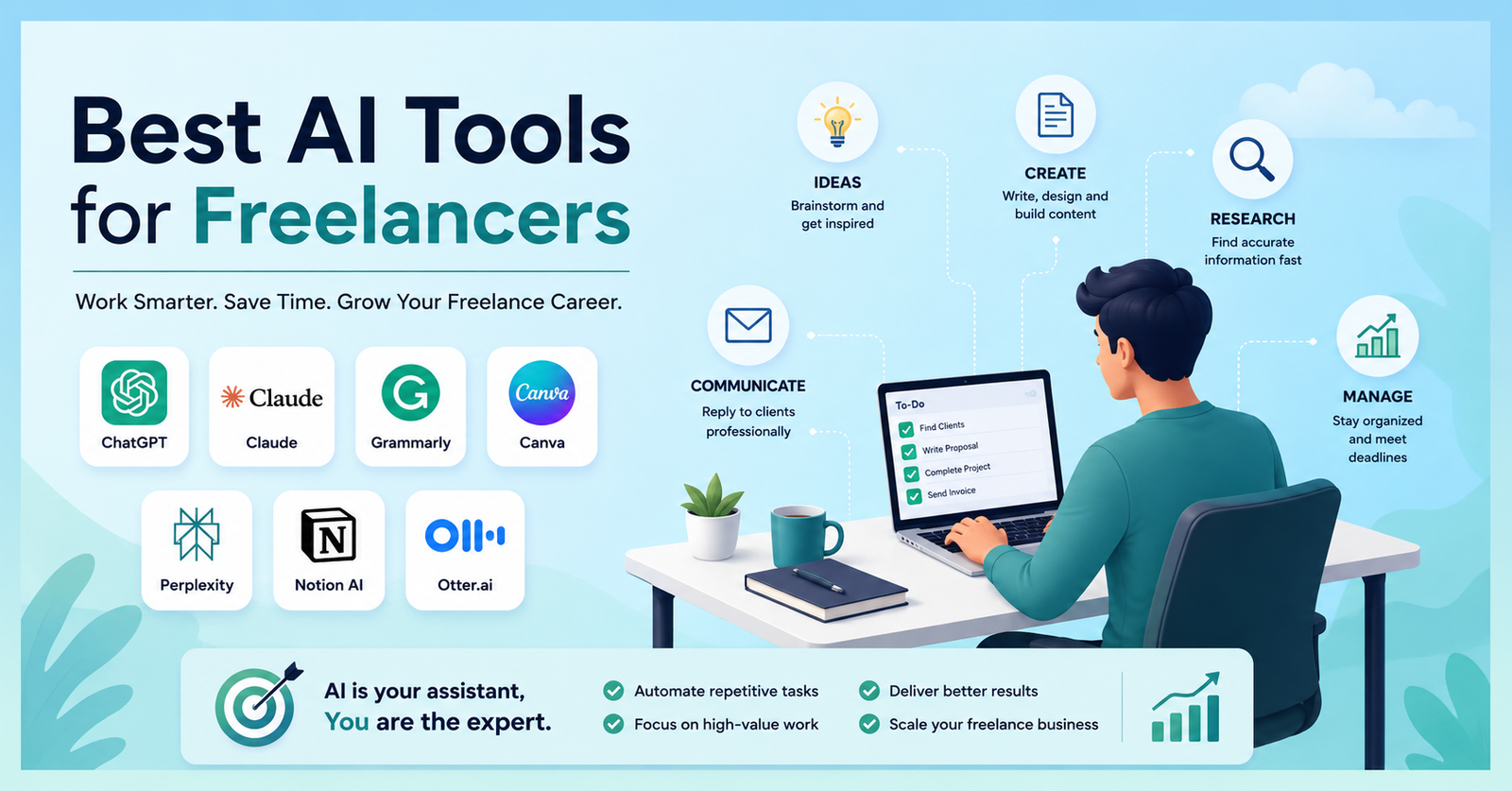
ChatGPT, Claude, Geminie, Grammarly, Perplexity, Canva, Adobe Firefly and Notion Ai are the best Ai tools to help freelancers. Freelancing is frequently a process of working on multiple tasks at a time. You search for clients, draft proposals, work on projects, reply to messages, attend meetings, follow deadlines and market your services. Some of that work can be alleviated without giving up control with the Best AI Tools for Freelancers.
The essential step is to select the tools to solve the real problems, not just accumulating the latest AI apps. There are cases where a writer has to assist with research and editing and a designer has to assist with image generation and presentation tools. An AI coding assistant may be more advantageous for a developer.
It’s a guide to some of the more practical AI software that freelancers can use to write, research, design, code, keep projects on track, hold meetings, draft proposals and communicate with clients.
AI can come in handy in repetitive aspects of freelancing. It can convert raw ideas into an outline, summarize a lengthy meeting, offer ideas, clarify unfamiliar code, or outline a project. But that doesn’t mean that AI does everything. We’re here at Incomrise to help you develop practical skills to make use of AI, freelancing and online work.
AI can, for instance, transform a brief from a client into a content structure, which a freelance writer can then use to build the content. The writer continues his research on the topic, verifies his data, formulates the thesis, refines the writing and ensures the final product is in the client’s style.
These are the tools that have been the most useful in a variety of freelance endeavors.
ChatGPT is one of the most flexible options for freelancers. It can be useful for brainstorming, research planning, outlines, rewriting, client emails, writing proposals, spreadsheets, writing a summary and writing code. For instance, a content writer can copy and paste a client’s short request and then seek suggestions on what angles to use for the article, what questions to respond to and what logical outline to follow. The writer can then find and create content on his own.
Freelancers can also use ChatGPT beyond individual projects to develop income-generating services. See our guide on How to Make Money With ChatGPT for more practical ideas.
Best for: Writers, marketers, virtual assistants, researchers and general freelance work.
Limitation: AI responses can contain errors, so important facts and client-facing information need verification.
Claude is an AI generalist that is also very strong. Freelancers can use it for drafting, editing, summarizing documents, analyzing information, brainstorming and coding. It’s very helpful if you have a long set of instructions or a lot of text. A freelancer can offer a comprehensive write-up on the project brief and have Claude provide the requirements, outcomes, missing information and possible questions or concerns for the client.
Best for: Long-form writing, document analysis, research and developers.
Limitation: Free usage is limited and AI-generated information still requires human checking.
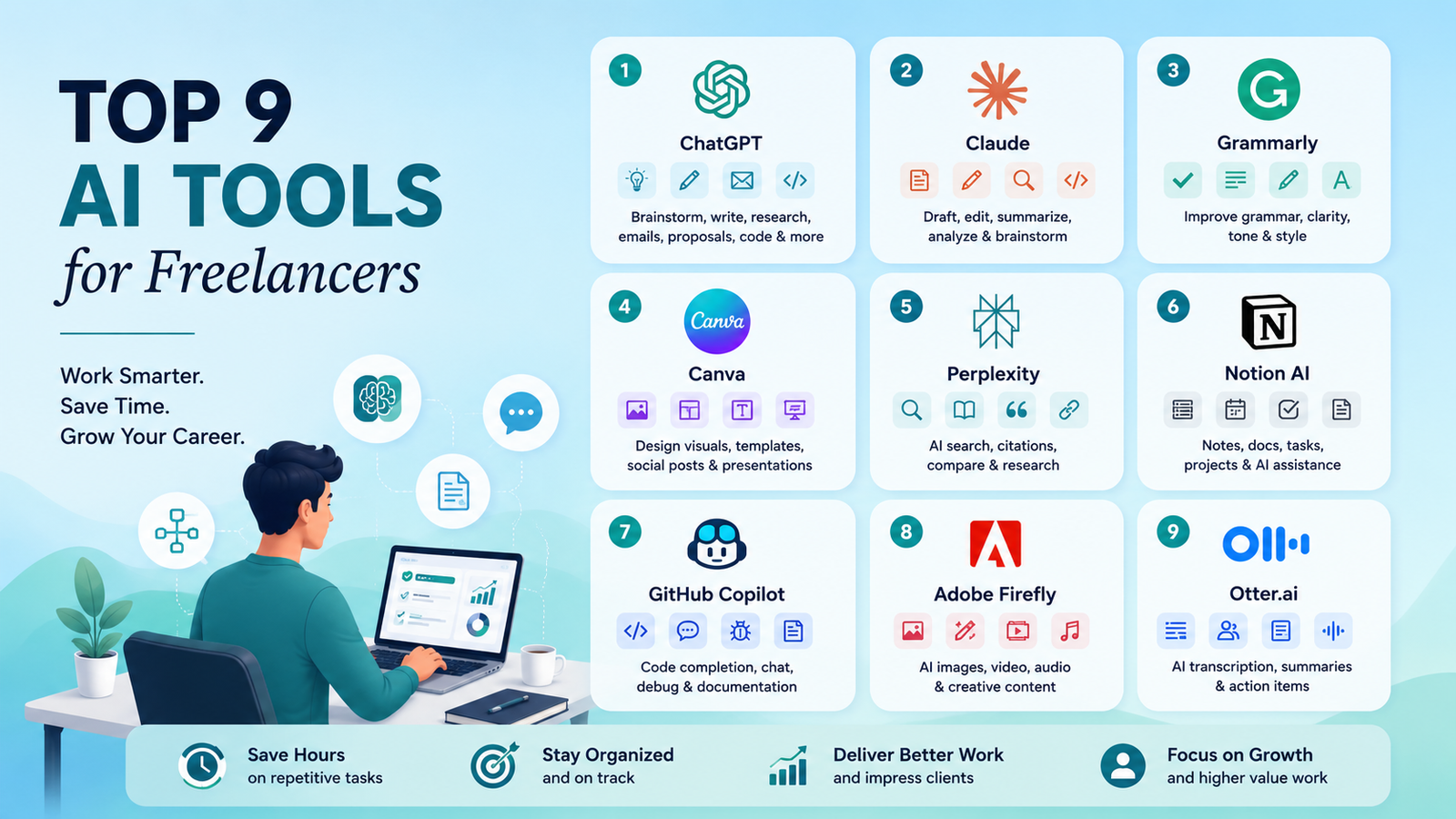
Grammarly is a tool for writing, not to replace the writer. It verifies written communication grammar, spelling, clarity, tone and more. It’s helpful for client emails, proposals, website copy, articles, reports and social media posts. It offers free writing support and supports a limited number of AI prompts. The current Grammarly Pro is $12/month.
Best for: Writers, marketers, virtual assistants and anyone communicating with international clients.
Limitation: Editing suggestions can sometimes make writing sound too polished or generic. Always keep your own voice.
Canva is particularly helpful for freelancers who don’t have the time to create every design from scratch when they require professional-looking visuals. Its AI capabilities can generate ideas for design, build visual elements, utilize templates and design social media graphics, presentations and marketing materials. The prices of Canva’s Free and Pro plans are displayed as $0 and $144 per year, respectively, in the US pricing model.
Best for: Social media managers, marketers, virtual assistants and freelance designers.
Limitation: AI-generated visuals can contain mistakes or inconsistent details. Check every asset before delivering it to a client.
Freelance writing, marketing, consulting and other services greatly involve research as well. Perplexity is built on the principles of AI-powered search and its citations enable users to delve deeper into information. It can be used to investigate a new topic, locate primary sources, compare and contrast different perspectives and locate information for a freelance writer to check out directly.
Best for: Researchers, writers, marketers,and consultants.
Limitation: Citations don’t automatically make an answer correct. Open the original source and verify important claims.
Notion is a workspace that integrates notes, documents, databases, task management and AI capabilities. It can be used to maintain briefs for clients, tasks, meeting notes, content calendars and research for freelancers. Notion’s Free plan costs $0 and AI features are offered in a trial for paid plans, which also provide additional workspace functionality.
Best for: Freelancers managing several clients or recurring projects.
Limitation: Notion can take time to set up. A complicated workspace isn’t automatically a better workflow.
Developers use GitHub Copilot in their supported code editors, getting AI help for code completion, chat, agents and more. It can be used by a freelancer to write repetitive code, to document functions they don’t understand, to test their code or to look at bugs. The Free tier currently has 2,000 completions of code per month. The Copilot Pro features are $10/month; higher levels of use are available.
Best for: Developers and technical freelancers.
Limitation: AI-generated code can contain bugs, security problems, or incorrect assumptions. Test and review everything before using it in production.
Adobe Firefly is specifically designed for creative tasks that involve AI-generated and AI-assisted images, video, audio and design. It is an ideal tool for exploring ideas, adding and subtracting parts of an image, visualizing variations and building a presentation or marketing piece.
There is a free version from Adobe now with a limited number of daily generations. Adobe’s current pricing page reveals the Standard plan for paid Firefly users will begin at $9.99 per month.
Best for: Designers, creative freelancers, marketers and content creators.
Limitation: Always check the current licensing and usage terms before delivering AI-generated assets as commercial client work.
Meetings can generate a lot of administrative work. Otter.ai offers AI transcription, identification of the speakers, meeting summaries and more. A freelancer can utilize it throughout a client meeting, afterward change the transcript into action points and a project list.
Otter’s Basic plan is free and gives users 300 minutes of transcription per month. It also has additional paid features with its Pro level, with increased limits.
Best for: Consultants, virtual assistants, project managers, marketers and freelancers who frequently attend calls.
Limitation: Transcription accuracy varies with accents, audio quality, speakers and terminology. Review important notes before sharing them.
The Best AI Tools for Freelancers will vary greatly based on the service you provide.
For writers, it is a combination of ChatGPT or Claude for brainstorming and outlining, Perplexity for research and Grammarly for final editing. A writer is given a script to write an article of 1,500 words, for instance. AI can segment the brief into parts and highlight potentially valuable research questions. These are helpful AI tools for freelance writers, but they are meant for use as assistants rather than content bots.
Canva can be used for creating layouts and marketing content and Adobe Firefly can be used for AI-generated visual ideas. AI can get multiple directions in a short amount of time. The designer then looks for the right concept, modifies the typography and composition, verifies brand requirements and finalizes the design to make it consistent.
GitHub Copilot is a perfect match for developers seeking help within their code editor. A developer may request an explanation of an unfamiliar function, a suggestion for a refactor, ideas for unit tests and/or possible causes for an error to be given by AI. The developer can improve code of quality, security, architecture, performance and testing.
Virtual assistants and marketers may enjoy a wider selection of tools. ChatGPT or Claude can write e-mails and ideas for content. Canva can take care of visual materials. Notion can be used to structure client jobs. Otter can create minutes and to-dos from meetings.
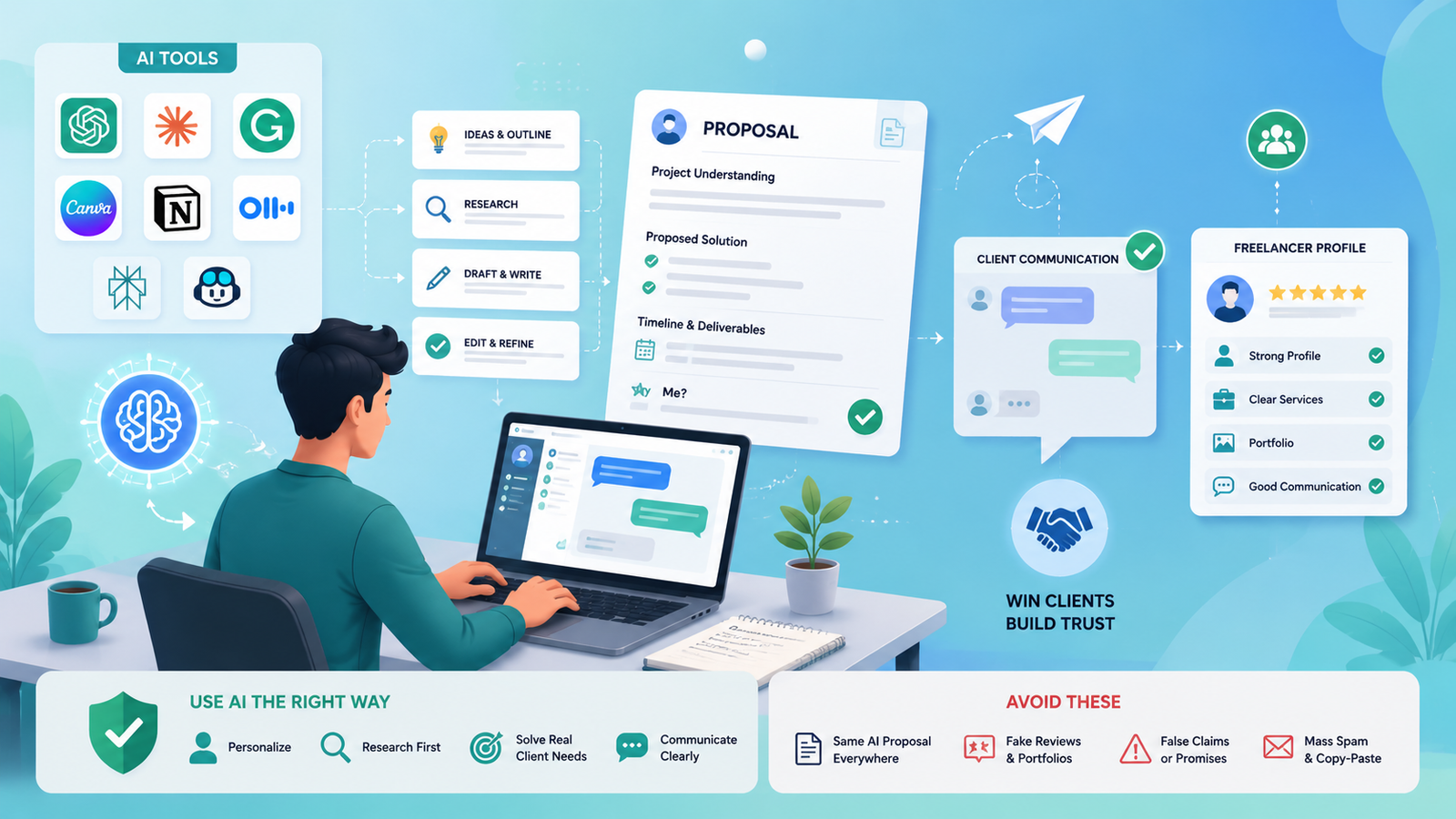
Success in the work is not just about getting things done! Freelancers also dedicate their time to client responses, proposal writing, questions and explaining delivery.
These AI tools for freelance proposals come in handy when they are personalized. Avoid submitting the same AI-generated applications to multiple clients. Research the project first and then write a response to the real need.
AI can also enhance Upwork and Fiverr freelancer profiles, gig copy, project ideas and communication. Do not be used to make fake reviews, fake portfolios, false claims or mass spam.
The biggest gains often come from small tasks.
A freelancer can use AI to:
The important question isn’t “What can AI do?”
AI can also open up new ways to package freelance services and create additional income streams. If you’re interested in practical ideas, see our guide to AI Side Hustles for Freelancers.
The Best AI Tools for Freelancers do not necessarily have the most extensive feature sets. It’s the ones that eliminate real friction from your daily work.
There’s no need to have 20 subscriptions! Begin with 2-3 tools that are useful in the real world. Sometimes a writer might require research, writing and editing assistance. Visual generation and layout tools may be necessary for a designer. The developer may require coding support and investigation.
Utilize AI for repetitive tasks and add your own expertise, hands-on experience, imagination and quality assurance. This is a much more effective way to gather AI tools than just gathering tools.
You should choose the appropriate one depending on your service. These are all helpful general assistants: Grammarly can assist with writing, Canva and Firefly can assist with visual work, GitHub Copilot can assist developers, Notion AI can assist with organizational tasks and Otter.ai can assist with meetings.
There are also several popular tools available for free, such as ChatGPT, Claude, Grammarly, Canva, Notion, GitHub Copilot, Adobe Firefly and Otter.ai. Free limits vary; be sure to view the current plan before using a tool for client work.
Use repetitive activities like outlining, meeting summaries, brainstorming, drafting emails, organizing research, content explanation and repurposing content. Keep final decisions and quality control in human hands.
Yes, if it is allowed by the terms of the tool, the client’s contract and confidentiality. Check privacy, copyright, licensing and data use policies before entering client information into an AI service.
Writers can combine ChatGPT or Claude with Perplexity and Grammarly. Canva and Adobe Firefly can be used by designers. You can use ChatGPT or Claude in addition to GitHub Copilot. The optimal mix will vary based on the freelancer’s preferences.