
Edited by
M. Ibrahim

Reviewd by
Abdul Qadir

Edited by
M. Ibrahim
Reviewd by
Abdul Qadir

Creating digital products is easier when you have the right AI tools. They can be used to create ebooks, Canva templates, printable planners, online art and to prepare products for online stores. The best thing is that they have some free plans available for newbies to begin with without having to pay for any software.
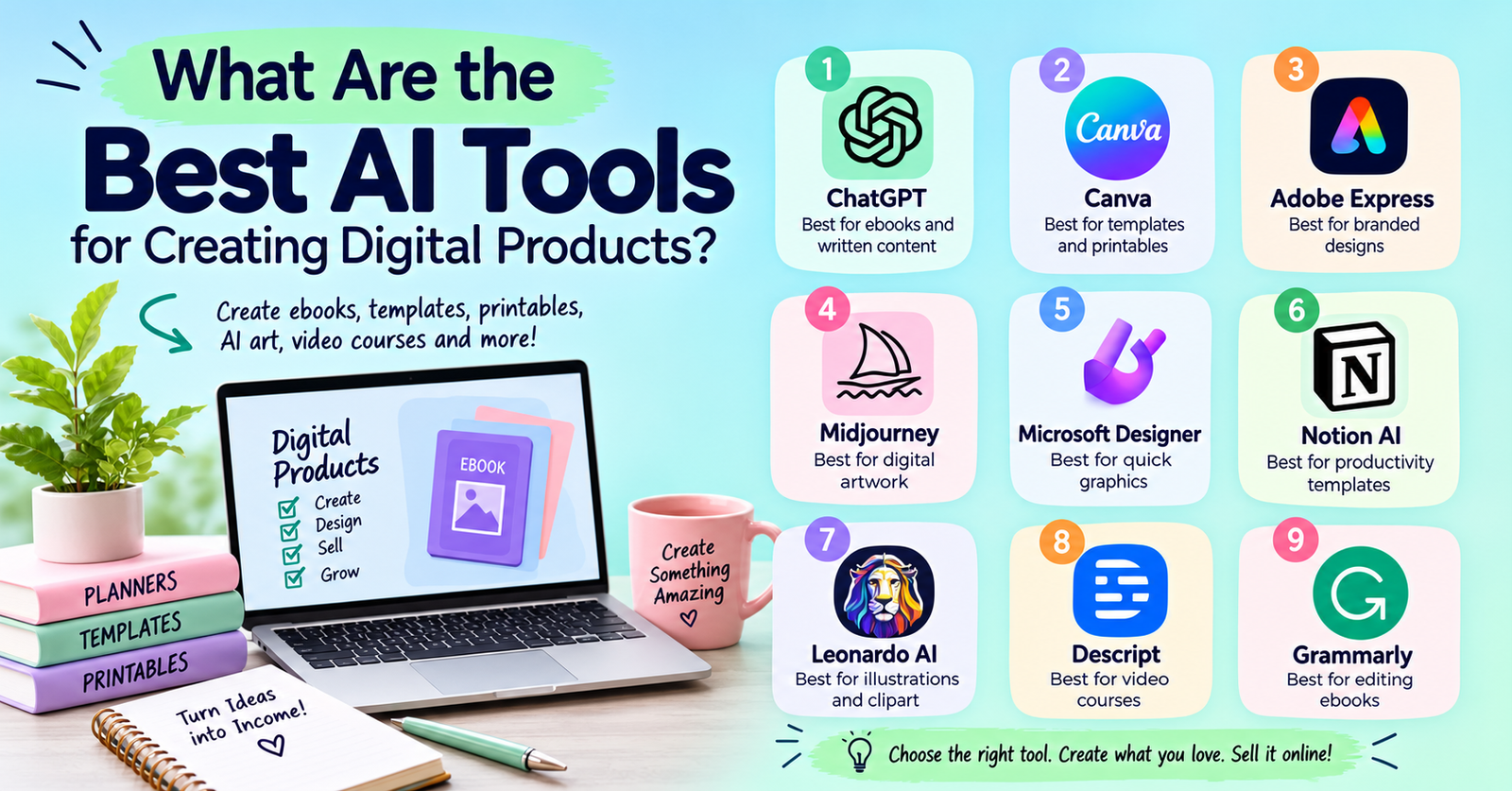
The best AI tools for creating and selling digital products 2026 include ChatGPT, Canva, Adobe Express and Midjourney. Every tool is used for a particular purpose. Some assist you in brainstorming and creating content; others do visual design, artwork and marketing.
This guide is designed to give you a comparison of the top tools, an explanation of pricing and how to take an idea and make it a digital product that your customers want to purchase.
The right tool is dependent on the product that you are selling. ChatGPT is great for ebooks and written materials, Canva is great for templates and printables and Midjourney is great for creating AI art. Notion can be used to create digital workspaces and Descript can help with video and audio products. Check out the best digital products to sell, such as ebooks, printable planners, Canva templates and digital artwork, before deciding which one is best suited for your skills.
Here are nine options worth considering.
ChatGPT is undoubtedly one of the most versatile AI tools for creating digital products. It can be used for brainstorming, organizing information, writing product descriptions and drafting chapters.
Ideal for: Ebooks, workbooks, checklists, study guides and educational resources.
Key features:
Pricing: ChatGPT offers a free plan as well as paid subscriptions. The price of ChatGPT Plus is $20 per month. Features and limitations are subject to change depending on the plan.
Limitations: AI-generated content may be inaccurate or contain generic information. Check facts and add new knowledge before selling your product.
Canva is perfect for those who are new to graphic design and need to create designs that are professional. It has templates and AI capabilities that streamline the design process.
Ideal for: Planners, calendars, social media templates, invitations, worksheets and printable wall art.
Key features:
For instance, you can create a budget organizer that includes monthly expense sheets, savings trackers and spending summaries. Create a PDF of the completed pages and print them accordingly.
Pricing: Canva offers a free plan and Canva Pro. Check Canva’s pricing page for current subscription rates and AI allowances.
Limitation: Do not sell unmodified stock elements or templates in a way that is in violation of Canva’s license terms. Make your designs and find out if they can be used commercially.
Adobe Express is a combination of graphic design tools, templates and generative AI. It assists creators in keeping consistent colors, fonts and styles across various products.
Ideal uses: Ebook covers, promotional graphics, branded worksheets, posters and social media kits.
Key features:
Adobe Express is an easy-to-use platform that a small business owner can use to make an ebook cover, ebook worksheets and Instagram marketing graphics.
Pricing: Adobe Express has plans for free and Premium. Check the official pricing page for current details.
Limitation: Some features/ assets are on a paid basis. Check licensing requirements of materials in commercial products.
Midjourney creates images based on text prompts. It’s great for anyone creating unique illustrations and decorative designs. To learn how to monetize your illustrations, check out the how to make money with AI art tutorial and the various ways to sell original digital artwork.
Ideal uses: Wall art, Illustration collections, Decorative images and visual assets.
Key features:
For instance, create a gallery of botanical drawings for digital wall art, choose the best photos, assess their quality and edit them to the proper dimensions.
Pricing: Midjourney offers paid plans, including Basic at $10, Standard at $30, Pro at $60 and Mega at $120 per month. Check its official plan comparison for current terms.
Limitation: Sometimes images created by this will have inconsistent details. Check every piece of artwork and read commercial use rules prior to selling artwork.
Microsoft Designer creates and customizes graphics and images using AI. It’s good for creators who want fast design concepts and promotional images.
Ideal uses: Invitations, social media graphics, simple promotions and visual concepts.
Key features:
For instance, if you’re offering a marriage checklist, you can think about some of the ideas for covers and generate promotional graphics with Designer.
Pricing: Access and AI limits depend on the current offering and account. Visit Microsoft Designer for details.
Limitations: Not a full-fledged online store or a specialised ebook-publishing platform. There may be another application needed to prepare and market your product.
Notion is a tool that enables creators to construct digital workspaces utilizing pages, databases and task management features. Its AI features help to write and organize information.
Ideal for: Study Planners, Content Calendars, Project Trackers and Business Dashboards.
Key features:
For instance, a content writer can create a calendar showing the publishing dates, the keyword fields, the status of the tasks and performance notes. The final template may contain an explanation of how buyers are using the template.
Pricing: Notion offers a free plan and paid subscriptions. AI access varies by plan. Check Notion pricing.
Limitation: Users might need to have a Notion account and follow Notion instructions on how to duplicate the workspace.
Leonardo AI streamlines the process of creating illustrations, textures and other visual elements. It provides options to create images and edit them for various creative projects.
Ideal for: Clipart, backgrounds, themed illustrations and design elements.
Key features:
For instance, you can have a series of images on a digital scrapbook page, with a theme. Verify that the images are the same before creating a downloadable bundle.
Pricing: Leonardo AI offers limited free access and paid subscriptions. Visit its official website for current prices and usage limits.
Limitation: Sometimes pictures need to be manually edited. Ensure that a commercial-use right has been obtained for the chosen model and subscription.
Descript is an audio and video editing tool that simplifies the process using a text-based workflow. It’s ideal for creators who wish to sell recorded lessons or tutorials.
Ideal for: Web courses, tutorial videos, recorded lessons and educational material.
Key features:
For instance, a teacher can record a lesson, eliminate errors, add subtitles and include downloadable worksheets for the video.
Pricing: Descript offers free and paid plans. Check its official website for current prices and usage limits.
Limitations: Descript is a great tool for creating content but not a full digital product marketplace.
Grammarly enhances the grammar, spelling, clarity and tone of writing. It can be a helpful tool to finish written digital products.
Ideal for: Ebooks, guides, workbooks and educational materials.
Key features:
For instance, if you have written an ebook, use Grammarly to find awkward sentences and words that are repeated. Look over its suggestions before exporting the final document.
Pricing: Grammarly offers free writing assistance and paid plans. Check Grammarly for current details.
Limitation: Grammarly is not a replacement for fact-checking or subject knowledge. Read technical statements and instructions independently.
Incomrise is a website that teaches and shares practical information, tools and strategies for growing online, enhancing digital presence and creating new income opportunities for individuals and businesses.
| Tool | Best use | Pricing options |
|---|---|---|
| ChatGPT | Ebooks and written content | Free and paid |
| Canva | Templates and printables | Free and Pro |
| Adobe Express | Branded graphics | Free and Premium |
| Midjourney | Digital artwork | Paid plans |
| Microsoft Designer | Quick graphics | Access varies |
| Notion AI | Productivity templates | Free and paid |
| Leonardo AI | Illustrations and clipart | Free access and paid |
| Descript | Video courses | Free and paid |
| Grammarly | Editing written content | Free and paid |
The best AI tools for creating and selling digital products 2026 are most effective when used alongside a well-defined strategy.
Choose a group where there is a problem that is clearly defined. You could have study planners, freelancers who want invoice templates and small businesses could want social media designs.
Generate ideas and write a draft with AI. Include personal examples, experiences and enhancements. Verify all facts and test the work.
Create printable and ebook PDFs. When using templates that need editing, give specific directions. Create appropriate image sizes and formats for artwork.
Please select a platform that will support your product and location.
Before opening your store, make sure that sellers in your country are eligible and that the payouts are offered.
Create product descriptions, social media content and email campaigns with the help of AI tools for digital product marketing. Provide a preview and describe the product’s function as it addresses a certain problem. Include appropriate search terms in product listings and monitor visits and sales. Make improvements in response to customer feedback.
The best AI tools for creating and selling digital products 2026 will vary based on the product and budget. ChatGPT aids in writing, Canva makes design easy, Midjourney and Leonardo AI create art and Notion helps create productivity templates.
Begin with just one product and a few tools. Keep in mind that you’re solving a real problem, look at commercial use rules, then select a platform that allows your location. Your digital product is better grounded when it’s high-quality, original and useful for marketing.
Both ChatGPT and Canva can assist with outlines and drafts and Canva can help with covers and page layouts. Make edits to content and check facts prior to selling the ebook.
Canva is a great option for social media templates, planners and business resources. When selling designs that can be edited, please verify the licensing conditions.
Canva is great for calendars, planners, worksheets and checklists. Save designs in PDF format and print them to verify print quality.
Yes, as long as your designs comply with the licensing terms on Canva and the selling site’s guidelines. Edit layouts; review permissions of included elements.